
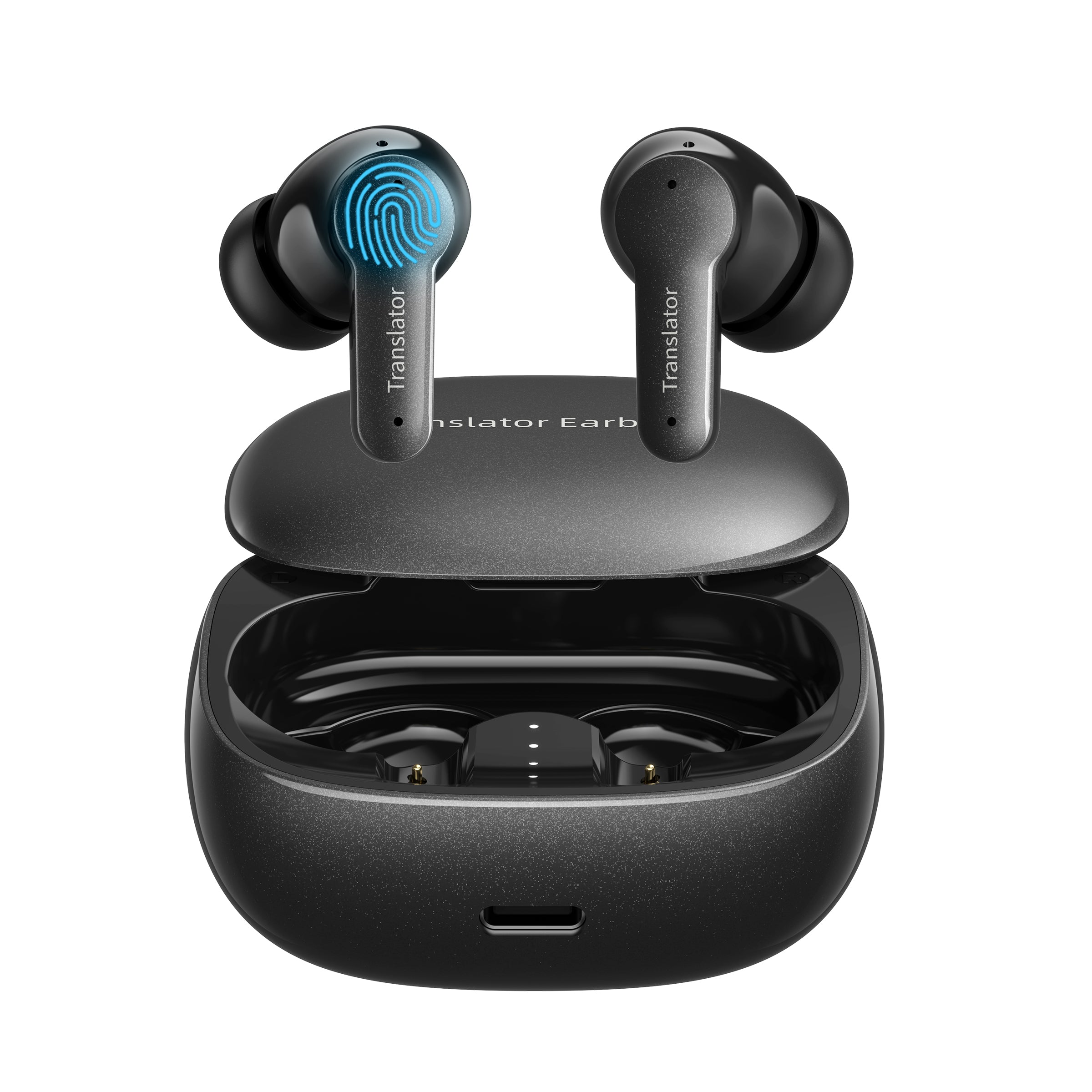
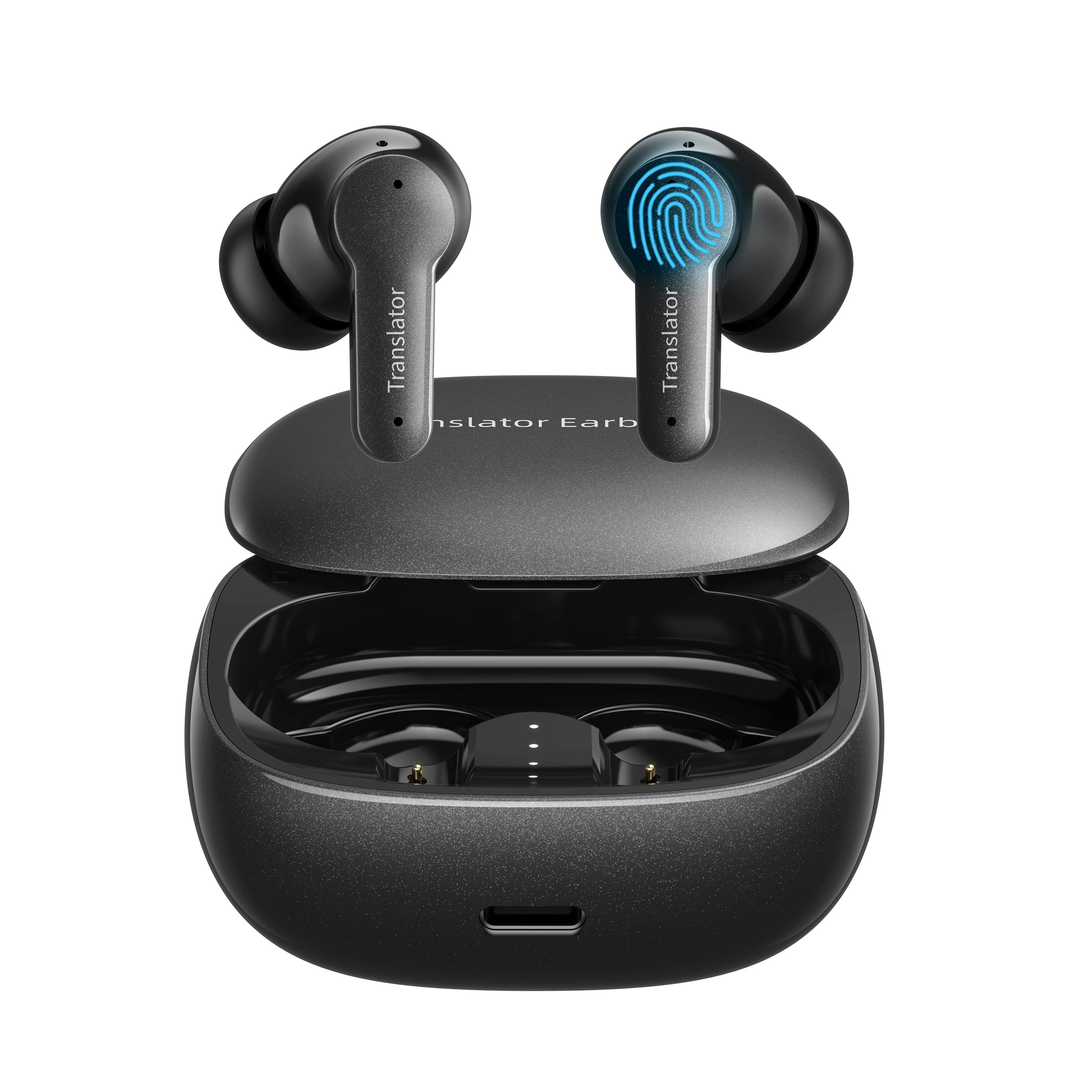


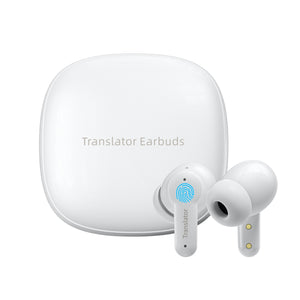


Anfier M3 Offline AI Translator Earbuds
Compare color
Ask a question
Guarantee Safe Checkout
Anfier M3 Offline AI Translator Earbuds
Anfier M3 Offline AI Translator Earbuds
Anfier M3 Offline AI Translator Earbuds are designed for travelers, business users, students, and everyday multilingual conversations. With app-supported AI translation, 144-language online translation, an 8-language offline package option, no subscription required for the supported offline package, five translation modes, music, and calls, M3 is built for users who want practical translation support in a compact earbud format.
Unlike handheld translator devices, M3 gives users a wearable translation experience that can also work as Bluetooth earbuds for music and phone calls. It is suitable for international travel, business introductions, restaurants, hotels, study abroad, customer conversations, and everyday cross-language communication.
Designed for Offline-Ready Translation
M3 is designed for users who want translator earbuds with both online translation and selected offline translation support. Online mode gives users broader language coverage when connected to Wi-Fi or mobile data, while the supported offline package can help in selected essential situations where internet access may be limited.
For users who want app-supported translation, music, calls, photo translation, and no recurring subscription for the supported offline package, M3 is a practical entry-to-core translator earbud option within the Anfier lineup.
Why M3 Is Different
- 144-Language Online Translation: Supports online translation across 144 languages and accents according to current product information.
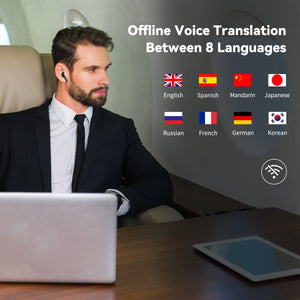
- 8-Language Offline Package: Includes offline translation support in 8 major languages with the appropriate package.
- No Subscription Required: The supported offline package is positioned for use without a recurring subscription according to the current product page.
- Five Translation Modes: Supports Touch, Speaker, Free Talk, Offline, and Photo Translation modes through the app.
- Music and Calls: Works as Bluetooth earbuds for daily music and phone calls in addition to translation use.
- Good Entry-to-Core Choice: A practical option for first-time translator earbud buyers who want offline support and app-based translation features.
Best For
| International Travel | Use M3 for airports, hotels, restaurants, shopping, transportation, sightseeing, and everyday conversations overseas. |
| Business Introductions | Support general conversations during meetings, trade shows, exhibitions, supplier visits, customer introductions, and business travel. |
| Students and Language Learners | Useful for study abroad, language practice, classroom support, cultural exchange, and everyday learning situations. |
| Restaurants and Hotels | Helpful for ordering food, checking in, asking basic questions, requesting service, and handling common travel conversations. |
| Music and Calls | Use M3 as Bluetooth earbuds for daily audio and phone calls when translation is not needed. |
Key Benefits
- Communicate Across Languages: Use app-supported translation for travel, business, study, and everyday multilingual communication.
- Use Online or Offline Translation: Online mode supports broader language coverage, while the supported offline package helps with selected major languages when internet access is limited.
- Avoid Recurring Offline Subscription: The supported offline package is positioned for use without a recurring subscription according to current product information.
- Choose the Right Translation Mode: Use Touch, Speaker, Free Talk, Offline, or Photo Translation modes depending on the conversation setting.
- Carry One Device for Translation and Audio: M3 can support translation, music, and phone calls in one earbud system.
Online vs Offline Translation
| Online Translation | Designed for broader language coverage and real-time multilingual conversations when connected to Wi-Fi or mobile data. |
| Offline Translation | Available with the supported offline package for 8 major languages according to current product information. |
| No Subscription Note | The supported offline package is positioned for use without a recurring subscription. Package terms may vary by app version, product version, and selected package. |
| Best Use | Use online mode for the widest language coverage and offline mode for selected essential situations where internet access may be limited. |
| Important Note | Offline language availability and features may vary by package type, app version, product version, and software support. |
Translation Modes
| Touch Mode | Supports controlled turn-by-turn conversation use when users want a more structured translation flow. |
| Speaker Mode | Useful when communicating with someone who does not want to wear an earbud or when quick shared communication is needed. |
| Free Talk Mode | Designed for more natural app-supported conversations when both users are participating in a multilingual exchange. |
| Offline Mode | Supports selected offline translation use with the appropriate offline package and supported languages. |
| Photo Translation | Helps translate supported written text through app-based photo translation. Results may vary depending on image clarity, lighting, and supported languages. |
Product Specifications
| Model | Anfier M3 |
| Product Type | AI Translator Earbuds |
| Translation Type | App-supported AI translation |
| Online Translation | 144 languages and accents according to current product information |
| Offline Translation | 8 major languages with supported offline package |
| Subscription | No subscription required for supported offline package per current product information |
| Translation Modes | Touch, Speaker, Free Talk, Offline, and Photo Translation modes based on current product information |
| Audio Functions | Music and phone calls |
| App Requirement | Yes, translation features require compatible app connection |
| Package Options | With Offline Package; Without Offline Package |
| Best Use Cases | Travel, business introductions, study, restaurants, hotels, music, calls, and everyday multilingual communication |
How to Choose the Right Anfier Translator
| Choose M3 if... | You want app-supported translator earbuds with 144-language online translation, an 8-language offline package option, no recurring subscription for the supported offline package, five translation modes, music, and calls. |
| Choose AF56 if... | You want an entry-friendly app-supported translator earbud option with online translation, offline package support, photo translation, music, and calls. |
| Choose M6 if... | You want app-supported translator earbuds with online translation, optional offline package, music, calls, and multiple translation modes. |
| Choose M9 if... | You prefer open-ear translator earbuds for comfort, awareness, travel, meetings, exhibitions, and longer conversations. |
| Choose A8 if... | You want translator earbuds with a built-in touchscreen control system and less reliance on a phone app for core translation use. |
| Choose W12S, W10S, or W09 PRO if... | You prefer a handheld screen-based translator device instead of wearable translator earbuds. |
What Affects Translation Quality?
Translation quality depends on both product capability and real-world usage conditions. For best results, use M3 in a quieter environment, speak clearly, select the correct language pair, and maintain a stable internet connection for online translation.
- Selected language pair
- Internet connection quality for online translation
- Offline language package availability
- Speaker clarity and pronunciation
- Background noise
- Strong accents or fast speech
- Multiple people speaking at the same time
- App version, software support, and product settings
- Image clarity, lighting, handwriting quality, and text layout for photo translation
What’s in the Box
Package contents may vary by bundle, color, sales channel, or product version. Please refer to the selected product package before purchase for included accessories such as translator earbuds, charging case, charging cable, user manual, or ear tips.
Support & Setup
For setup help, app connection questions, offline package support, translation mode questions, troubleshooting, or warranty service, please contact Anfier customer support. Warranty coverage and service terms may vary by sales channel, order location, and product version.
Important Usage Notes
- Translation features require a compatible app connection.
- Online translation requires Wi-Fi or mobile data.
- Offline translation is limited to supported offline package options and selected major languages.
- No-subscription offline package terms may vary by product version, app version, software support, and selected package.
- Translation performance may vary by language pair, pronunciation, accent, background noise, network quality, app version, software version, and product settings.
- Photo translation performance may vary by image clarity, lighting, text layout, handwriting quality, and supported languages.
- For better results, speak clearly, select the correct language pair, and reduce background noise.
Not Recommended For
- Certified legal, medical, immigration, or professional interpretation
- Situations requiring guaranteed word-for-word translation
- Noisy environments with multiple people speaking at the same time
- Offline translation in languages not included in the supported offline package
- Professional interpretation scenarios where certified human translation is required
Frequently Asked Questions
Learn more about Anfier M3 online translation, offline package support, no-subscription offline use, app-supported translation modes, travel use, study use, music, calls, and product performance.
What type of product is Anfier M3?
Anfier M3 is an app-supported AI translator earbud system designed for travel, business introductions, study, restaurants, hotels, music, calls, and everyday multilingual communication.
Does Anfier M3 require a phone app?
Yes. Anfier M3 uses app-supported translation features. Translation modes such as Touch, Speaker, Free Talk, Offline, and Photo Translation are supported through the app based on current product information.
What languages does Anfier M3 support?
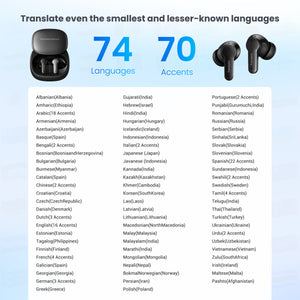
According to current product information, M3 supports online translation across 144 languages and accents. Offline translation is available in 8 major languages with the supported offline package.
Can Anfier M3 translate offline?
Yes. M3 supports offline translation when the supported offline package is selected. Offline translation is limited to supported offline languages and may not include every feature available in online mode.
Does Anfier M3 require a subscription?
According to current product information, the supported offline package is positioned for use without a recurring subscription. Available services and package terms may vary by product version, app version, and selected package.
What is the difference between the “With Offline Package” and “Without Offline Package” options?
The “With Offline Package” option includes supported offline translation access for selected major languages. The “Without Offline Package” option is intended mainly for online translation use. Please confirm the selected package before purchase.
Does online translation require Wi-Fi or mobile data?
Yes. Online translation requires an active internet connection. Translation speed and accuracy may be affected by network quality, background noise, pronunciation, accent, and the selected language pair.
How accurate is the translation?
Translation performance may vary depending on language pair, pronunciation, accent, speech clarity, background noise, network quality, app version, and software version. For best results, speak clearly and use the correct language pair.
How fast is the translation response?
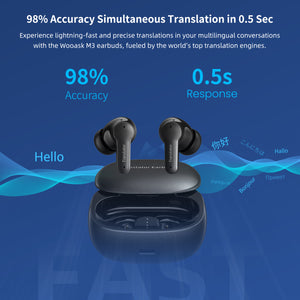
M3 is designed for real-time multilingual communication. Actual response time may vary depending on internet connection, language pair, speech clarity, app performance, and usage environment.
How can I improve translation accuracy?
Select the correct language pair, speak clearly, reduce background noise, avoid multiple speakers talking at the same time, and use a stable internet connection for online translation.
Does background noise affect translation quality?
Yes. Background noise, unclear speech, strong accents, fast speech, or multiple speakers may affect speech recognition and translation results.
What translation modes does M3 support?
Based on current product information, M3 supports Touch, Speaker, Free Talk, Offline, and Photo Translation modes through the app. Available features may vary by app version and selected package.
Can M3 translate photos or written text?
Yes. M3 supports app-based photo translation according to current product information. Photo translation results may vary depending on image quality, lighting, text clarity, and supported languages.
Is Anfier M3 suitable for travel?
Yes. M3 is suitable for travel conversations, hotels, restaurants, shopping, transportation, sightseeing, and daily multilingual communication.
Is Anfier M3 suitable for students or language learners?
Yes. M3 can support study, language learning, and everyday practice conversations. It is designed as a practical communication aid and should not be treated as a certified translation tool.
Can M3 be used as regular Bluetooth earbuds?
Yes. Based on current product information, M3 can be used for music and phone calls in addition to translation functions.
How long does the battery last?
Battery performance may vary depending on translation mode, Bluetooth audio use, call use, app usage, network conditions, charging habits, charging case usage, and selected settings. Please refer to the product manual or package information for detailed battery specifications.
What should I do if translation quality is not good?
Check the app connection, confirm the selected language pair, speak clearly, reduce background noise, and make sure online or offline mode is selected correctly. Contact Anfier support if the issue continues.
Is M3 suitable for legal, medical, or certified interpretation?
No. M3 is designed for general travel, study, business, and everyday multilingual communication. It is not intended for certified legal, medical, immigration, or professional interpretation use.
| Package Type |
With Offline Package, Without Offline Package |
|---|---|
| Color |
Black, White |


