


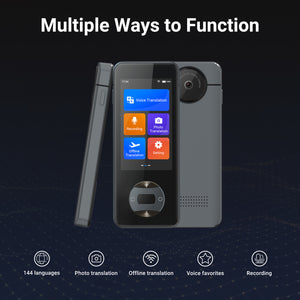
Anfier W10S Handheld Language Translator Device
Guarantee Safe Checkout
Anfier W10S Handheld Language Translator Device
Anfier W10S Handheld Language Translator Device
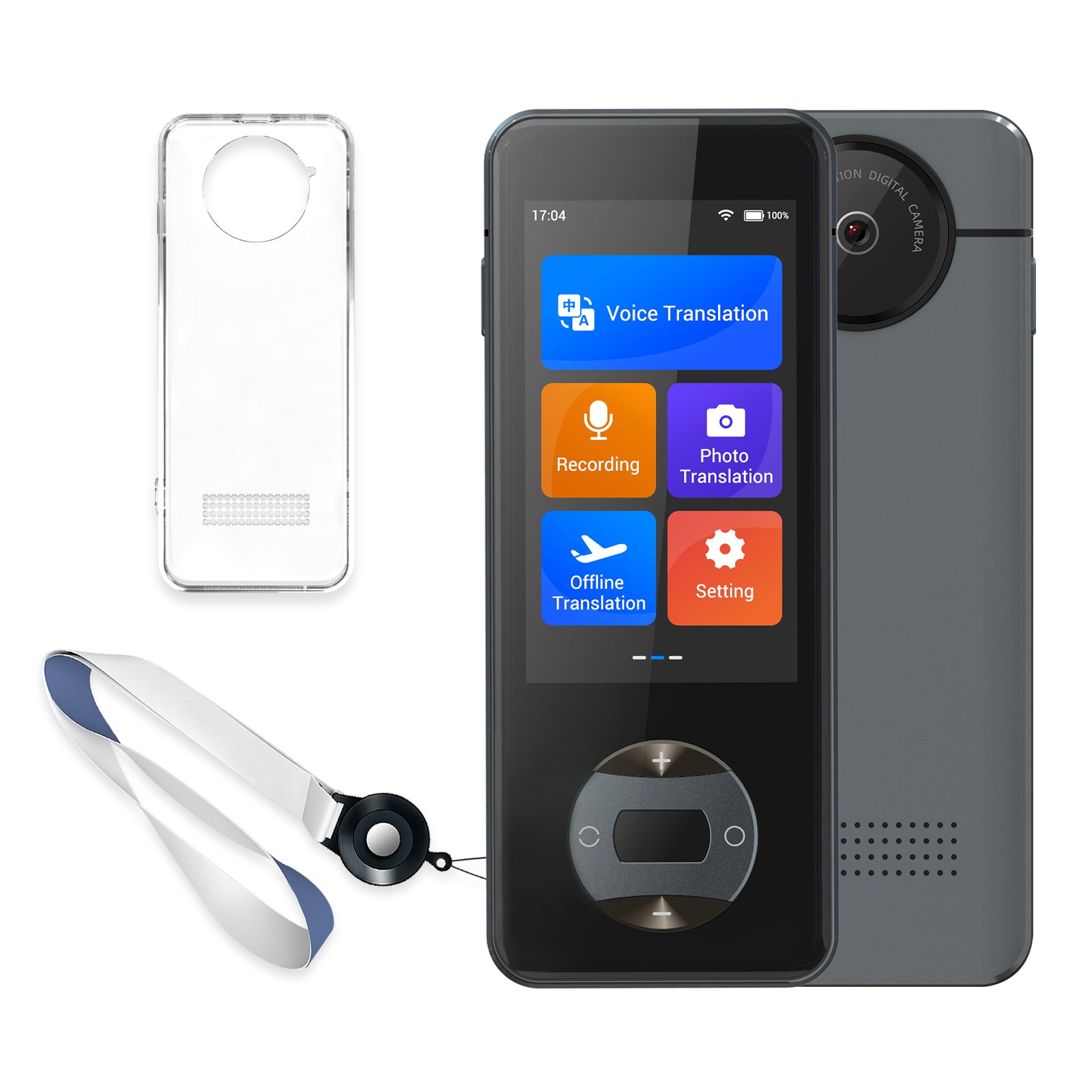
Anfier W10S is a portable handheld language translator device designed for travel, business communication, shopping, dining, learning, and everyday multilingual conversations. With voice translation, photo translation, offline translation support, and a compact screen-based format, W10S is built for users who want a dedicated translator device for real-world communication.
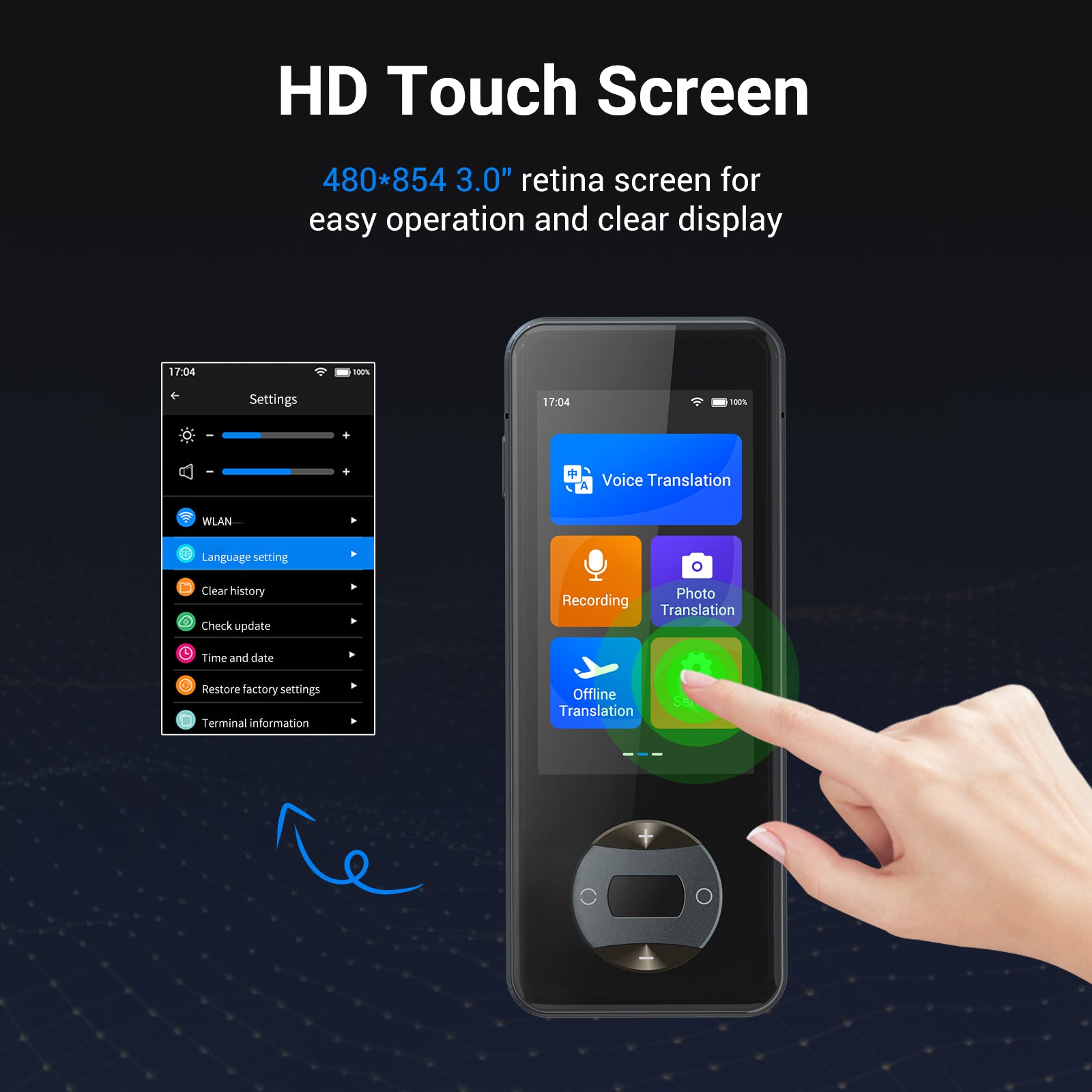
Unlike translator earbuds, W10S gives users a handheld interface for managing language settings, viewing translations, and supporting face-to-face conversations. It is suitable for travelers, students, business users, trade show visitors, international shoppers, and anyone who needs practical cross-language support on the go.
Designed for Portable Handheld Translation
Cross-language communication often happens in everyday situations: ordering food, checking into a hotel, asking for directions, meeting a supplier, reading a menu, or speaking with a customer. W10S is designed to help users handle these moments with a dedicated handheld translator instead of switching between phone apps or sharing earbuds.
The compact device format makes W10S easy to carry for international travel, business trips, exhibitions, study abroad, shopping, dining, and daily multilingual communication.
Why W10S Is Different
- Dedicated Handheld Translator: Designed for users who prefer a screen-based translator device instead of wearable translator earbuds.
- Voice Translation Support: Built for common spoken conversations during travel, business, study, shopping, dining, and daily use.
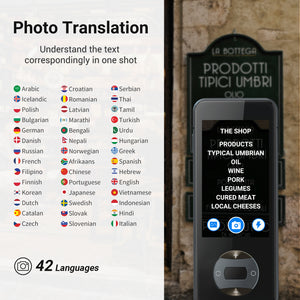
- Photo Translation Support: Helps translate supported written text such as menus, signs, labels, and printed information, depending on product version and supported languages.
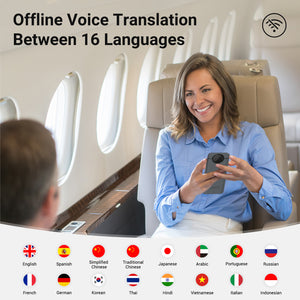
- Offline Translation Support: Supports offline translation features according to current product information, useful when internet access may be limited.
- Compact Travel Format: Portable handheld design makes it practical for use in airports, hotels, restaurants, stores, exhibitions, and customer conversations.
- Practical Everyday Use: Designed for travel, business communication, language learning, cultural exchange, and multilingual daily situations.
Best For
| International Travel | Use W10S for airports, hotels, restaurants, shopping, transportation, sightseeing, and everyday conversations overseas. |
| Business Communication | Support general conversations during supplier visits, customer introductions, trade shows, exhibitions, and business trips. |
| Shopping and Dining | Helpful for menus, signs, labels, store conversations, restaurant ordering, and common service interactions. |
| Students and Language Learners | Useful for study abroad, language practice, cultural exchange, and understanding everyday phrases. |
| Users Who Prefer a Screen | Ideal for people who want to view translated text on a device instead of relying only on earbuds or audio translation. |
Key Benefits
- Translate with a Dedicated Device: Use a handheld translator for face-to-face conversations instead of relying only on smartphone apps.
- Support Voice and Text Needs: Voice translation helps with conversations, while photo translation can help with supported written text.
- Use Online or Offline Translation: Online translation supports broader connected use, while offline translation supports selected situations when internet access may be limited.
- Carry It for Travel and Business: Compact design makes W10S suitable for travel, trade shows, supplier visits, study, shopping, and dining.
- Reduce Communication Friction: Helps users handle common cross-language moments more confidently in real-world environments.
Online vs Offline Translation
| Online Translation | Designed for broader language coverage and connected translation use when Wi-Fi or mobile data is available. |
| Offline Translation | Supported according to current product information. Offline translation may be limited to selected languages and may not include every feature available in online mode. |
| Best Use | Use online mode for broader language coverage and offline mode for selected essential situations where internet access may be limited. |
| Important Note | Language availability may vary by product version, software version, offline language package, and selected settings. |
Translation Use Cases
| Voice Translation | Use W10S for spoken conversations in travel, business, study, and everyday communication settings. |
| Photo Translation | Useful for supported written text such as menus, signs, labels, instructions, and printed information. |
| Travel Communication | Use it in hotels, restaurants, taxis, airports, shops, tourist attractions, and public service situations. |
| Business Communication | Support general conversations at trade shows, exhibitions, supplier visits, and customer meetings. |
| Learning and Daily Use | Helpful for language learners, students, cultural exchange, and everyday multilingual situations. |
Product Specifications
| Model | Anfier W10S |
| Product Type | Handheld Language Translator Device |
| Translation Type | Voice translation, photo translation, and offline translation support according to current product information |
| Online Translation | Connected translation use requires Wi-Fi or mobile data |
| Offline Translation | Supported according to current product information; offline language availability may vary by product version or package |
| Photo Translation | Supported according to current product information; results may vary by image clarity, lighting, text layout, and supported languages |
| Best Use Cases | Travel, business communication, shopping, dining, learning, and everyday multilingual conversations |
| Important Note | Translation performance may vary by environment, language pair, network quality, software version, and usage conditions. |
How to Choose the Right Anfier Translator
| Choose W10S if... | You want a compact handheld translator for voice translation, photo translation, offline translation support, travel, shopping, dining, and business communication. |
| Choose W12S if... | You want a handheld translator with a larger 3.7-inch touchscreen, 144-language online translation, 16-language offline translation, and travel-ready accessories. |
| Choose W09 PRO if... | You want a compact offline-focused handheld translator with offline translation support, photo translation, and travel-friendly portability. |
| Choose A8 if... | You want translator earbuds with a built-in touchscreen control system and less reliance on a phone app for core translation use. |
| Choose M9 if... | You prefer open-ear translator earbuds for comfort, awareness, travel, meetings, exhibitions, and longer conversations. |
What Affects Translation Quality?
Translation quality depends on both product capability and real-world usage conditions. For best results, use W10S in a quieter environment, speak clearly, select the correct language pair, and maintain a stable internet connection for online translation.
- Selected language pair
- Internet connection quality for online translation
- Offline language package availability
- Speaker clarity and pronunciation
- Background noise
- Strong accents or fast speech
- Multiple people speaking at the same time
- Software version, product settings, and supported language availability
- Image clarity, lighting, handwriting quality, and text layout for photo translation
What’s in the Box
Package contents may vary by bundle, color, sales channel, or product version. Please refer to the selected product package before purchase for included accessories such as the translator device, charging cable, user manual, or travel accessories.
Support & Setup
For setup help, offline language questions, photo translation support, troubleshooting, or warranty service, please contact Anfier customer support. Warranty coverage and service terms may vary by sales channel, order location, and product version.
Important Usage Notes
- Online translation requires Wi-Fi or mobile data.
- Offline translation is limited to supported offline language packages and supported product versions.
- Translation performance may vary by language pair, pronunciation, accent, background noise, network quality, software version, and product settings.
- Photo translation performance may vary by image clarity, lighting, text layout, handwriting quality, and supported languages.
- For better results, speak clearly, select the correct language pair, and reduce background noise.
Not Recommended For
- Certified legal, medical, immigration, or professional interpretation
- Situations requiring guaranteed word-for-word translation
- Noisy environments with multiple people speaking at the same time
- Offline translation in languages not included in the supported offline package
- Professional interpretation scenarios where certified human translation is required
Frequently Asked Questions
Learn more about Anfier W10S handheld translation, voice translation, photo translation, offline translation support, travel use, business communication, and translation quality.
What type of product is Anfier W10S?
Anfier W10S is a portable handheld language translator device designed for travel, business communication, shopping, dining, learning, and everyday multilingual conversations.
How is W10S different from translator earbuds?
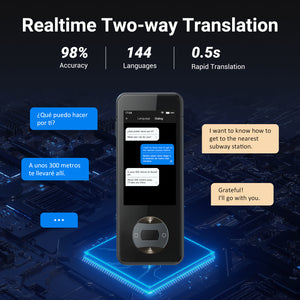
W10S uses a handheld screen-based format instead of an earbud format. It is ideal for users who prefer viewing translations, managing language settings on a device, and using a dedicated translator for face-to-face conversations.
Does Anfier W10S support offline translation?
Yes. W10S supports offline translation according to current product information. Offline translation may be limited to selected languages and may not include every feature available in online mode.
Does online translation require Wi-Fi or mobile data?
Yes. Online translation requires an active internet connection. Translation speed and accuracy may be affected by network quality, pronunciation, accent, background noise, and the selected language pair.
Can W10S translate photos or written text?
Yes. W10S supports photo translation according to current product information. Photo translation results may vary depending on image clarity, lighting, text layout, handwriting quality, and supported languages.
How accurate is the translation?
Translation quality may vary depending on language pair, speech clarity, accent, background noise, network quality, software version, and use environment. For better results, speak clearly and use the correct language pair.
How fast is the translation response?
W10S is designed for fast handheld translation use. Actual response time may vary depending on language pair, network quality, offline or online mode, speech clarity, and device conditions.
How can I improve translation accuracy?
Choose the correct language pair, speak clearly, reduce background noise, avoid multiple people speaking at the same time, and use a stable internet connection for online translation.
Does background noise affect translation quality?
Yes. Background noise, overlapping voices, strong accents, unclear speech, or fast speech may affect speech recognition and translation results. A quieter environment can help improve performance.
Is Anfier W10S suitable for travel?
Yes. W10S is designed for travel scenarios such as airports, hotels, restaurants, shopping, transportation, sightseeing, public services, and everyday communication overseas.
Is W10S suitable for business meetings or trade shows?
Yes. W10S is suitable for general business conversations, trade shows, exhibitions, supplier visits, customer introductions, and multilingual meetings. It is not intended to replace certified professional interpretation.
Is W10S useful for shopping and dining?
Yes. W10S can help with common shopping and dining situations, including menus, labels, signs, basic questions, and service conversations in supported languages.
Is W10S suitable for students or language learners?
Yes. W10S can support study, cultural exchange, language practice, and everyday learning situations. It is designed as a communication aid and should not be treated as a certified translation tool.
What should I do if translation quality is not good?
Confirm the selected language pair, speak clearly, reduce background noise, check network quality for online translation, and make sure the correct translation mode is selected. Contact Anfier support if the issue continues.
Is W10S suitable for legal, medical, or certified interpretation?
No. W10S is designed for general travel, study, business, and everyday multilingual communication. It is not intended for certified legal, medical, immigration, or professional interpretation use.


